
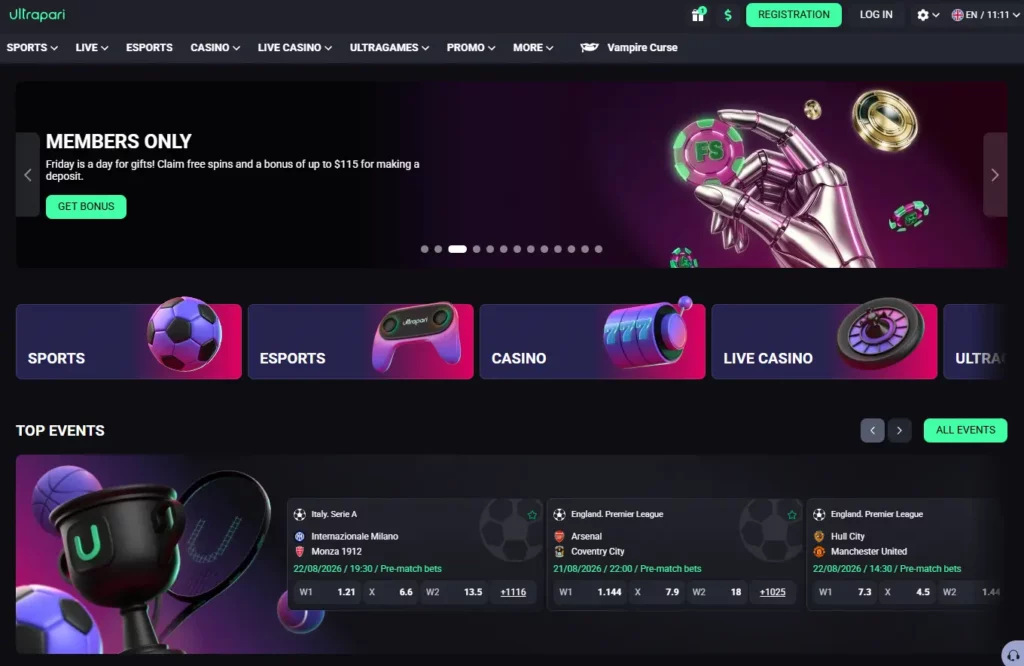
Ultrapari Mobile App Overview
The term “Ultrapari app” can refer to either a downloadable Android package or the mobile version of the platform opened through a browser. Both formats are designed to provide the same core account functions on a smaller screen. A responsive browser version does not require a conventional installation. Players open the verified website in Chrome, Safari or another current browser, sign in and use the sportsbook or casino through a layout adjusted for touch controls. Independent reviewers describe Ultrapari as fully responsive and state that a separate application is not required for normal mobile access.
Why Download the Ultrapari App
A dedicated shortcut or verified Android package can reduce the number of steps needed to reach the platform. Instead of searching for the website each time, the player opens an icon from the phone’s Home Screen.
Mobile access is particularly practical for checking live odds, reviewing an open bet or confirming whether a withdrawal has been processed. It also keeps the sportsbook, casino and cashier inside one account. The main reasons to use the mobile version include:
- Faster access from a phone or tablet.
- Pre-match and live sports betting.
- Slots and live casino games.
- Account registration and login.
- Deposit and withdrawal controls.
- Betting and transaction history.
Mobile access does not change the account rules. Verification, payment ownership, bonus conditions and regional restrictions continue to apply regardless of the device used.
Key Features of the Mobile App
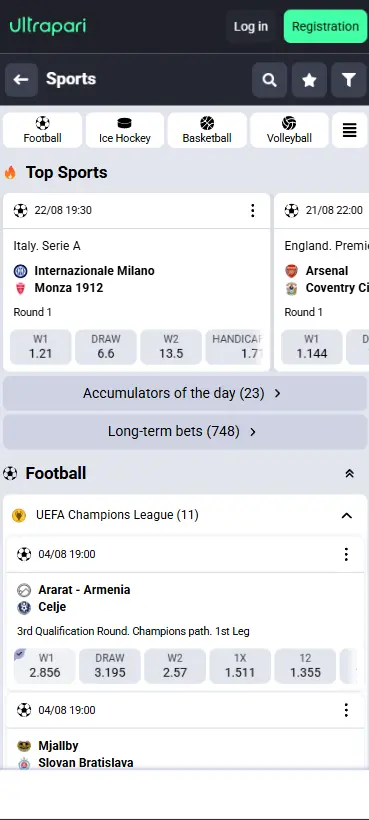
The Ultrapari mobile interface brings the main desktop sections into a touch-friendly layout. Casino Guru’s review includes mobile screenshots of the game gallery and promotion pages, confirming that those areas have been adapted for smaller displays.
| Mobile Feature | What It Provides | What to Check |
|---|---|---|
| Sportsbook | Access to pre-match fixtures and live betting markets | Confirm the displayed odds before placing a bet. |
| Casino Lobby | Access to slots, table games and live casino titles | Verify which games are available in your region. |
| Bet Slip | Supports single, multiple and accumulator bets | Review the selected stake and potential return before confirming. |
| Cashier | Deposit, withdrawal and transaction history management | Check which payment methods are available in your region. |
| Promotions | Active bonuses, offers and bonus progress tracking | Review wagering requirements and promotion expiry dates. |
| Account Section | Personal details, security settings and betting history | Confirm your account verification status and profile information. |
The exact menu order can change when the operator updates its interface. A feature visible on the desktop version may also appear in a condensed menu on mobile.
How to Download the Ultrapari App
Users should begin from the verified Ultrapari domain rather than an APK directory, advertisement or link received through a private message. BookmakerStats identifies ultrapari.com as the operator’s verified official domain. No separate Malaysian Google Play or App Store listing was verified during this review. Search results for similarly named applications included unrelated financial and utility products, which should not be mistaken for the Ultrapari betting platform.
Download for Android
The simplest Android option is browser access:
- Open Chrome on the Android device.
- Enter the verified Ultrapari domain manually.
- Confirm that the address is correct.
- Sign in or create an account.
- Open the browser menu.
- Add the page to the Home Screen if available.
This creates a convenient shortcut without installing software from outside Google Play. The shortcut opens the mobile website and uses the same account credentials as the desktop platform.
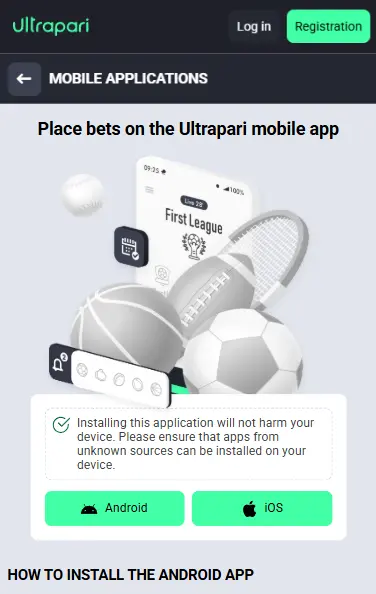
When an Android download button is displayed on the verified operator page, inspect the file information before proceeding. Do not assume that an APK found through a search engine belongs to Ultrapari.
Install the APK File
An APK is an Android installation package distributed outside Google Play. Google warns that applications downloaded from unknown sources can put the device and personal data at risk.
Android devices may require the user to grant installation permission to the browser or file manager handling the package. A safer installation procedure is:
- Download the APK only from the verified Ultrapari website.
- Check that the filename and publisher details look consistent.
- Run a Google Play Protect scan.
- Allow installation only for the browser used.
- Install the package and open it.
- Disable unknown-app installation again.
Do not continue when Android displays a malware warning, the file requests unusual permissions or the download page redirects to an unrelated domain. Google Play Protect checks applications during installation and periodically scans installed software. It may warn the user, disable an application or remove software identified as potentially harmful.
Access on iPhone & iPad
Ultrapari can be accessed through its mobile web version on iPhone and iPad. The responsive interface adapts to Safari, allowing users to open sports betting, casino games, payments and account settings without installing a separate app. A verified native Ultrapari application was not found in the Malaysian App Store, so browser access remains the clearest option.
Features of the Ultrapari App
The mobile platform combines sports betting and casino functions. Users do not need separate credentials for the two sections, and the available balance, bonuses and account records remain linked to the same profile. Independent bookmaker data identifies fixed-odds and in-play betting as Ultrapari’s main sportsbook products. The casino profile also includes slots, blackjack, roulette, baccarat, poker, jackpots, crash games and live dealer titles.
Mobile Sports Betting
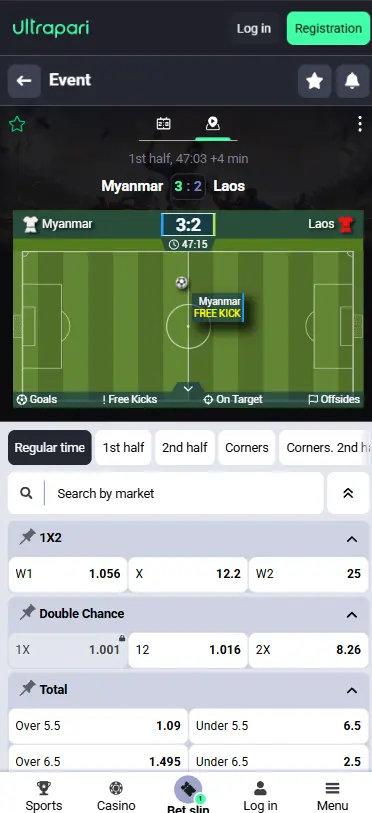
The sportsbook allows users to browse fixtures, open markets and add selections to the mobile bet slip. Depending on the event, markets may include match winner, handicaps, totals, individual player outcomes or other special options. Football, basketball, tennis, badminton and cricket are particularly relevant categories for Malaysian audiences. Event availability changes throughout the day, so the mobile schedule should be checked directly rather than relying on an old league list. Before confirming a wager, review:
- The event and competition.
- The selected outcome.
- Pre-match or live status.
- Current decimal odds.
- Entered stake.
- Potential return.
Odds may change while the bet slip is open. The accepted figure shown at confirmation determines the final wager, not necessarily the price originally selected.
Casino Games on the App
The mobile casino can include slots, RNG table games, live dealer rooms, jackpots and instant games. Casino Guru reports 14 game categories and content from 102 providers in Ultrapari’s wider international catalogue. Not every game will necessarily open on every Malaysian device.
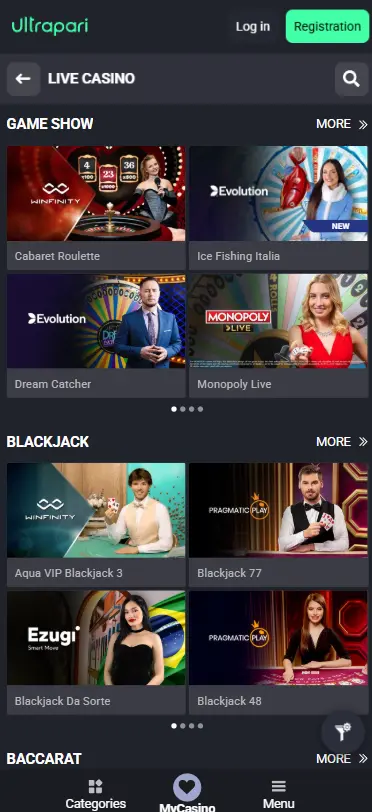
Provider restrictions, screen orientation, browser settings and connection quality may affect access. Slots normally adapt well to portrait mode, while live tables may work better in landscape mode. Before playing, open the information panel to review the minimum stake, maximum bet, paytable and bonus rules.
Live Betting & Live Casino
Live betting displays markets for events already in progress. Prices react to the score, match time and other developments. Markets may be suspended during goals, penalties, video reviews or other significant moments. The live casino streams real dealers handling cards, wheels or game equipment.
Continuous video requires a stronger connection than a standard slot or pre-match sportsbook page. Players should remember that a broadcast can run behind the sportsbook data feed. Decisions should be based on the score and status displayed within the betting interface rather than a delayed television or online stream.
System Requirements
Ultrapari does not publish a clearly indexed public specification listing an exact Android version, iOS version, processor, memory requirement or APK file size. Inventing a fixed requirement would therefore be misleading. The browser version should work best on a currently supported operating system with an updated browser, adequate free storage and cookies enabled. The table below provides practical guidance rather than unverified operator specifications.
| Device Element | Practical Recommendation |
|---|---|
| Operating System | Use a version that continues to receive regular security updates. |
| Browser | Use the latest version of Chrome, Safari, Edge or another supported browser. |
| Storage | Keep sufficient free space for browser data, updates or APK installation. |
| Screen | Use a modern smartphone or tablet with a clear, responsive display. |
| Cookies | Enable the required cookies for login, authentication and session management. |
| Security | Protect the device with a screen lock and enable Google Play Protect on Android devices. |
Android Compatibility
The mobile site should be opened through a recent Android browser. An older device may still load the home page but struggle with streamed casino tables, animated games or frequently updating live odds. When an APK is offered, the download page should display its current compatibility information. Android may block a package built for an outdated system level or one that requests sensitive permissions without sufficient verification.
Google notes that Play Protect may prevent installation of unverified applications using sensitive permissions. Avoid disabling security controls permanently simply to force an installation. Browser access remains the better alternative when the package is rejected or its origin cannot be confirmed.
iOS Compatibility
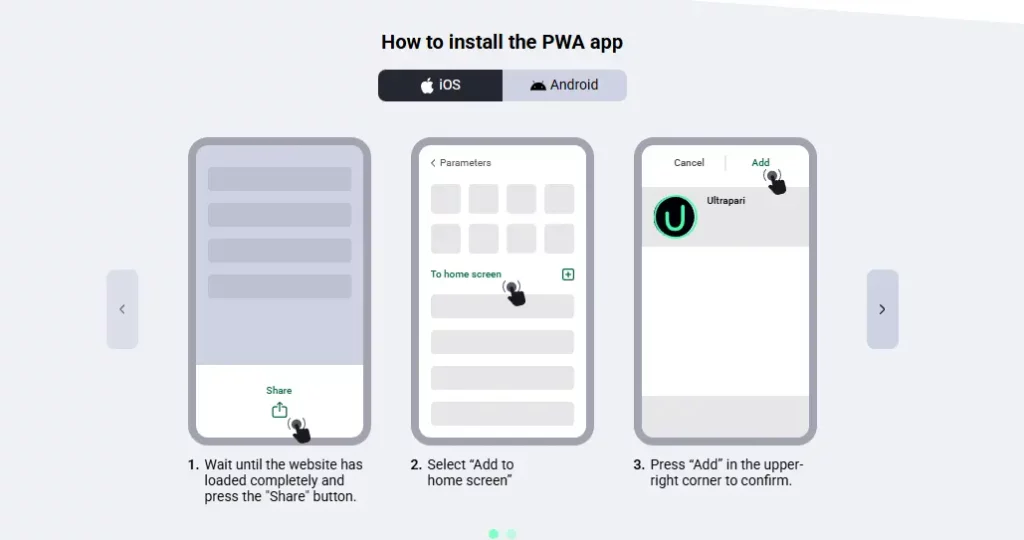
Safari provides the normal access route on iPhone and iPad. The operating system should be kept updated so that browser security, certificate handling and web-app support remain current. The Home Screen option is provided by iOS itself and does not require a separate installer.
Apple’s current instructions allow users to enable Open as Web App when adding a website from Safari. An App Store result with a similar name should be checked carefully. The developer name, category, age rating and linked website should match the betting operator before installation.
Internet Connection Requirements
A basic sportsbook page uses less data than a streamed live casino table. The actual requirement depends on the number of live updates, graphics, video quality and background applications running on the device. Stable Wi-Fi or a strong 4G or 5G connection is preferable for live betting and dealer games. A weak connection can cause a market to close before confirmation, delay a balance update or interrupt a game stream. Users on limited Malaysian mobile-data plans should monitor consumption during long live casino sessions. Video can use substantially more data than checking odds or placing a pre-match bet.
Register and Log In Through the App
Registration and login take place through the same account system used on the desktop site. A user should not create another profile simply because they have changed devices or switched from browser access to an APK. Ultrapari is reported as an international operator established in 2025 and owned by Pestus Limited. The service remains relatively new, so users should check country availability, current terms and identity requirements before creating an account.
Create a New Account
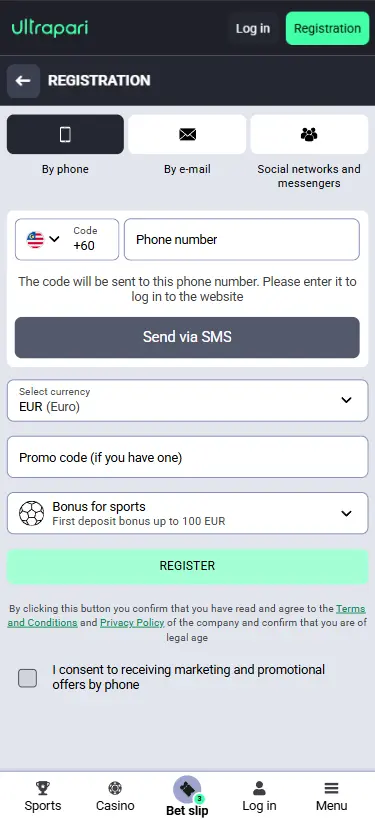
Open the verified platform and select the registration option. Enter the requested details accurately, using information that can later be supported by identification documents.
Registration may require:
- A valid email address or telephone number.
- A strong account password.
- Country and account currency.
- Date of birth.
- Acceptance of the terms.
- Email or phone verification.
Malaysian users should check whether MYR is offered during registration. Independent casino data lists several fiat and cryptocurrency options but does not consistently confirm Malaysian ringgit across all sources. The currency shown inside the actual registration form should take priority.
Log In to Your Existing Account
Open the mobile website or verified application and enter the same login details used on desktop. Creating a second profile can breach one-account rules and complicate payment verification. When login fails, first check the spelling of the email address, password and website domain. Use the password-recovery option rather than repeatedly guessing credentials. Do not provide a password or one-time code to someone claiming to be customer support. Legitimate assistance may ask for account identification but should not require the full password.
Deposits and Withdrawals
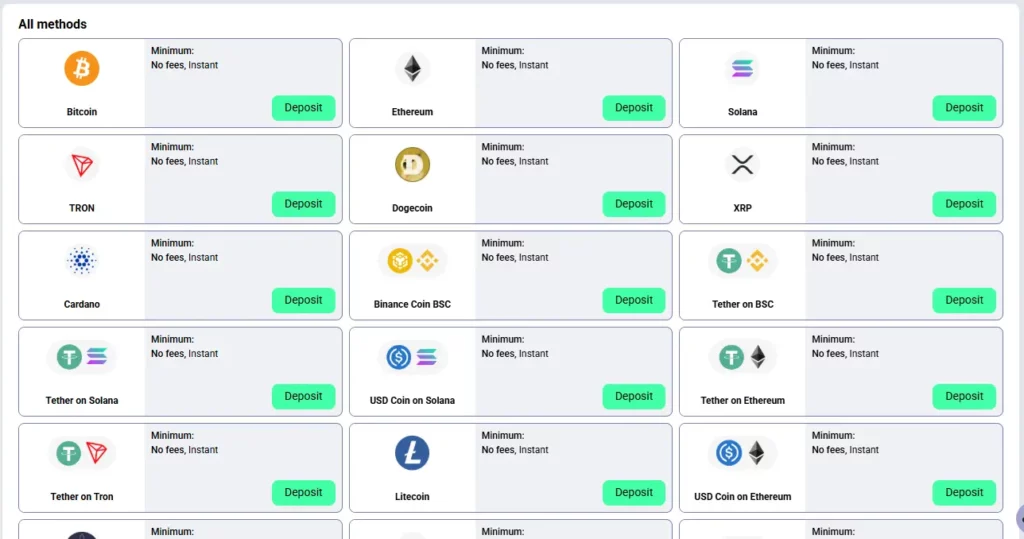
The mobile cashier allows eligible users to select a payment method, enter an amount and review transaction history. The methods shown after login are more reliable than a general review because availability may differ by country and account currency. Casino Guru lists 24 international Ultrapari payment options, including Visa, Mastercard, bank transfer, Skrill, PayPal, Jeton, Google Pay and several cryptocurrencies. The same source notes that some methods are available only in particular countries or for one transaction direction.
Supported Payment Methods
Malaysia has extensive local online banking and e-wallet infrastructure. DuitNow Online Banking/Wallets connects more than 40 participating banks and wallets and allows customers to approve payments through their chosen provider. This does not prove that Ultrapari supports DuitNow. It should be treated as available only when it appears inside the authenticated cashier. Potential cashier categories include:
| Payment Category | Publicly Reported for Ultrapari | Malaysian Availability |
|---|---|---|
| Visa and Mastercard | Yes | Subject to card issuer approval and availability in the account cashier. |
| Bank Transfer | Yes | A dedicated Malaysian bank transfer option is not publicly confirmed. |
| Global E-wallets | Several international e-wallets are reported | Availability depends on the user’s account region and cashier options. |
| Google Pay | Reported by Casino Guru | Availability should be verified directly in the authenticated cashier. |
| Cryptocurrency | Multiple cryptocurrencies are listed | Available options depend on the supported blockchain networks and account settings. |
Use only a payment method owned by the registered account holder. A name mismatch can cause additional verification or rejection.
Fast Deposits
Card, e-wallet and cryptocurrency deposits may appear quickly after authorisation, but processing is not guaranteed to be instant in every case. Bank checks, network confirmation or incorrect payment references can cause delays. Before approving a deposit, check the amount, account currency, provider fee and bonus status. Do not press the payment button several times when the page responds slowly. Keep the transaction reference until the account balance has been updated.
Quick Withdrawals
A fast payment method does not guarantee immediate withdrawal approval. The operator may first review identification, payment ownership, account activity and bonus wagering.
Casino Guru reports international Ultrapari withdrawal limits of €10,000 per day and €50,000 per month. These are not confirmed MYR limits and may differ by payment method or account status. Withdrawal processing is usually smoother when:
- Identity checks are already complete.
- The payment method belongs to the user.
- Bonus turnover has been completed.
- Account details are accurate.
- No duplicate request is submitted.
- The transaction reference is retained.
Security & Privacy
Mobile betting combines financial transactions, identity information and account credentials on one device. The security of the phone is therefore as important as the security of the Ultrapari account. Ultrapari is a small and relatively new operator. Casino Guru gave it a Safety Index of 5.8 out of 10 in July 2026 and classified it as below average, citing concerns about some terms and the limited operating history. The review found no relevant player complaints in its database, but there was also not enough user feedback to establish a strong record.
Safe APK Installation
Install an APK only when it is offered through the verified operator domain. Do not trust shortened links, cloud-storage folders, forum attachments or files sent by an unofficial agent. Before opening the package:
- Verify the website address.
- Check the download source.
- Scan the file with Play Protect.
- Review the requested permissions.
- Stop if Android displays a warning.
- Remove the APK after installation.
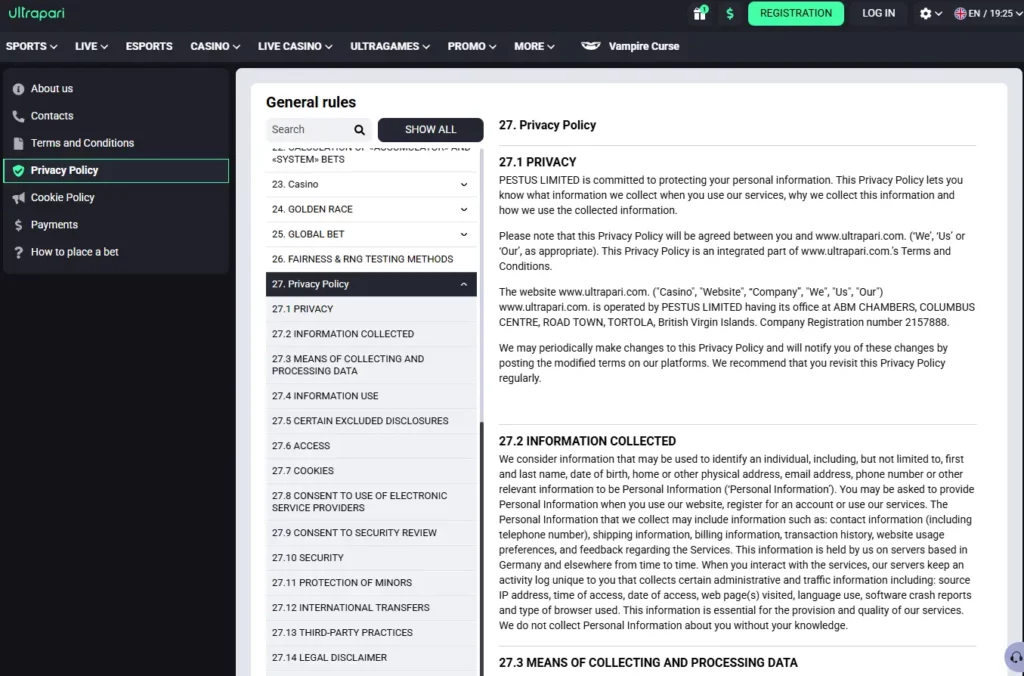
A betting application should not normally need access to SMS messages, contacts, call records or device administration. Unexpected requests are a reason to stop and investigate.
Account Protection
Use a password that is not shared with email, banking, social networks or another casino. A password manager can create and store a longer random password. Protect the phone with a PIN, password, fingerprint or facial recognition. Biometric device security does not replace the account password, but it reduces access if the device is lost. Review betting history, transaction records and login notifications regularly. Contact support promptly when an unfamiliar payment or wager appears.
Data Security
Use the verified HTTPS website and avoid logging in through links in unsolicited messages. A copied page can reproduce the Ultrapari logo while sending credentials to another party. Public Wi-Fi should be avoided for deposits, withdrawals or identity uploads. Use a trusted private connection and keep the operating system updated. Log out after using a shared phone or tablet. Clearing only the visible browser tab may not end an active session.
Troubleshooting the Ultrapari App
Mobile problems can originate from the device, browser, connection, account or operator server. Reinstalling software should not be the first response to every error. Start with simple checks: confirm the internet connection, reload the page, close unused applications and verify that the official domain is being used.
Installation Problems
An APK may fail to install if the download is incomplete, storage is limited, the Android version is unsupported, installation permission is disabled or Play Protect blocks the package.
Delete the damaged file, free some space, restart the device and download a new copy only from the official page. Scan the package before installation or use the mobile website instead.
Do not ignore security warnings or disable protection just to complete the installation. Applications from unknown sources may damage the device or expose personal information.
Login Issues
Check whether Caps Lock, automatic correction or an extra space has changed the password. Confirm that the browser is accepting required cookies and that the device time is set correctly.
When the password has been forgotten, use the recovery function. If a verification email does not appear, inspect the spam folder and confirm that the registered address was entered correctly.
Account restrictions, unfinished verification or multiple failed login attempts may require support assistance.
Updating the App
A web-based version updates when the website loads, so the user normally does not need to download a new package. Closing and reopening the browser can load the latest interface.
For an installed APK, return to the verified Ultrapari download page and compare the available version with the installed one. Do not update from a pop-up hosted on another domain.
Keep the existing application installed until the replacement package has downloaded successfully. After updating, check the balance, open bets, transaction history and security settings.
Why Choose the Ultrapari App?
The strongest reason to use Ultrapari on mobile is convenience rather than access to a separate product. The mobile interface connects the sportsbook, casino, promotions and cashier to the same account used on desktop. The responsive website is also a practical fallback when no verified store application is available. It avoids third-party installers while retaining the platform’s main functions.
Fast Performance
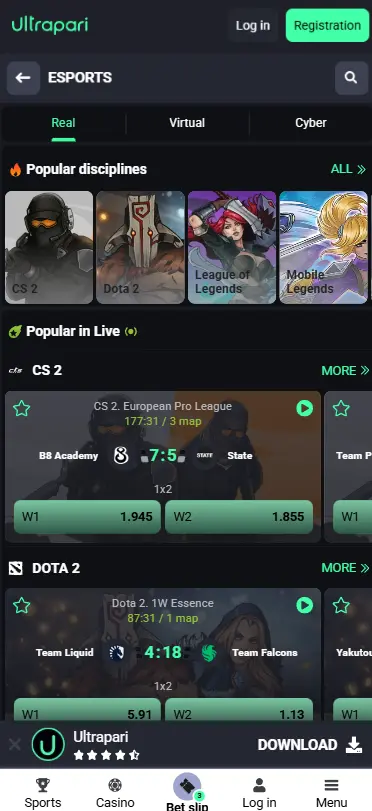
A mobile-optimised interface is designed to load the most important controls without reproducing the entire desktop layout on screen. Game filters, odds and payment pages are condensed into menus suitable for touch navigation. Actual speed depends on the connection, device and selected product. A pre-match market should require fewer resources than an HD live dealer stream. Closing background applications and keeping the browser updated can improve stability.
User-Friendly Interface
The mobile layout groups games, live events, promotions and account controls into separate sections. A search bar or category filter can reduce the time needed to find a particular sport or casino title. The bet slip should remain visible or accessible after a market is selected. Users should still read every selection before confirmation, since a compact interface increases the risk of tapping the wrong odd. Frequently used pages can be saved as bookmarks or a Home Screen web app.
Play Anytime, Anywhere
Mobile access allows a user to review an account from different locations, but “anywhere” remains subject to internet access, local law and the operator’s regional restrictions. Avoid placing bets while driving, working with equipment or performing another activity requiring attention. Mobile convenience should not remove personal spending and time limits. A session should end when the planned budget or time limit has been reached, regardless of whether a promotion, live event or unfinished casino feature remains available.
Frequently Asked Questions
Is the Ultrapari app free to download?
The mobile website can be opened without a download fee. Any official APK should also show its price and conditions on the verified download page. Users should not pay an unofficial seller for an installation file.
Can I install the app on iOS?
A verified Malaysian App Store listing was not confirmed during this review. iPhone and iPad users can open Ultrapari in Safari and add the website to the Home Screen as a web app.
How do I update the app?
The mobile website updates automatically when it loads. For an Android APK, return to the verified operator domain, download the current package and install it over the existing version after completing a security scan.
Is the APK safe to install?
An APK should be considered only when it comes directly from the verified Ultrapari domain and passes the device’s security checks. Google warns that unknown-source applications can expose personal information or damage the device.
Can I make deposits and withdrawals through the app?
Yes, eligible payment functions can be managed through the mobile cashier. Available methods depend on the account, country and currency, so Malaysian users should rely on the options displayed after login rather than assuming that every locally popular bank or e-wallet is supported.